

ezAcquire DataEntry
Developed using HTML5 technology, it is compatible with browsers such as Chrome, Edge, Safari, and Firefox.
Form Alignment Configuration Feature
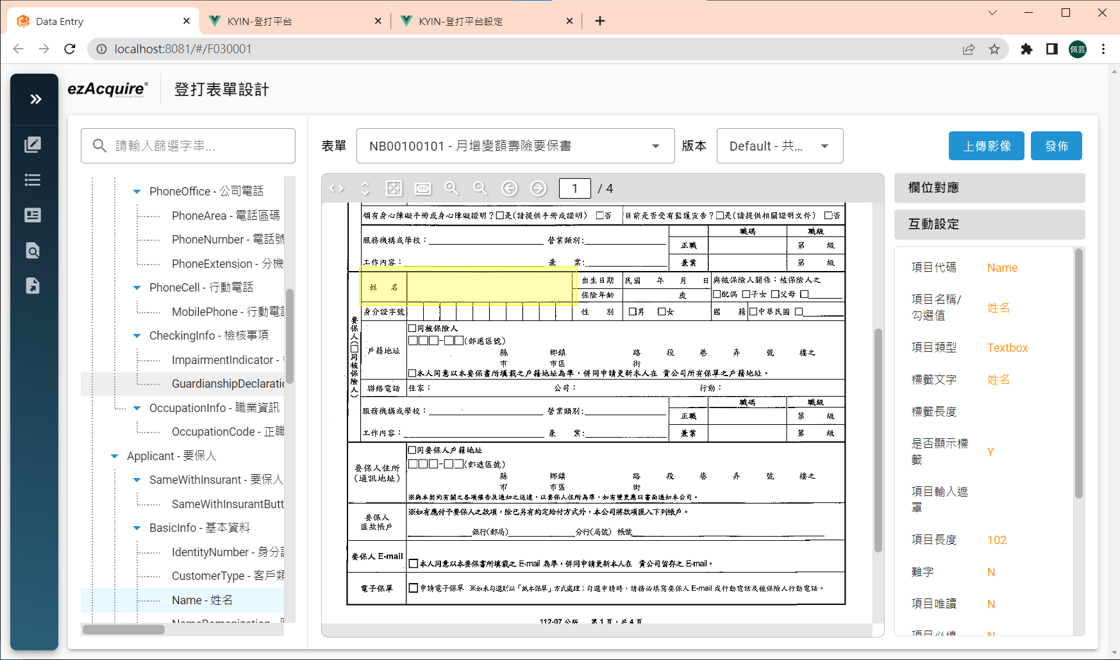
- ezAcquire DataEntry's form alignment configuration feature is designed to streamline the data entry workflow. When an operator selects a field, the system automatically zooms in on the corresponding area of the scanned document, eliminating the need for manual zooming.
- To configure form alignment, administrators can intuitively draw selection boxes on template images to define the areas to zoom in on when corresponding input fields are selected, and then configure the hierarchical structure of form data by dragging and dropping.
- ezAcquire DataEntry is compatible with browsers such as Chrome, Edge, Safari, and Firefox, and requires no additional downloads or installations. Users can start designing data entry immediately after logging into the system.
30+ Built-in Validation Rules
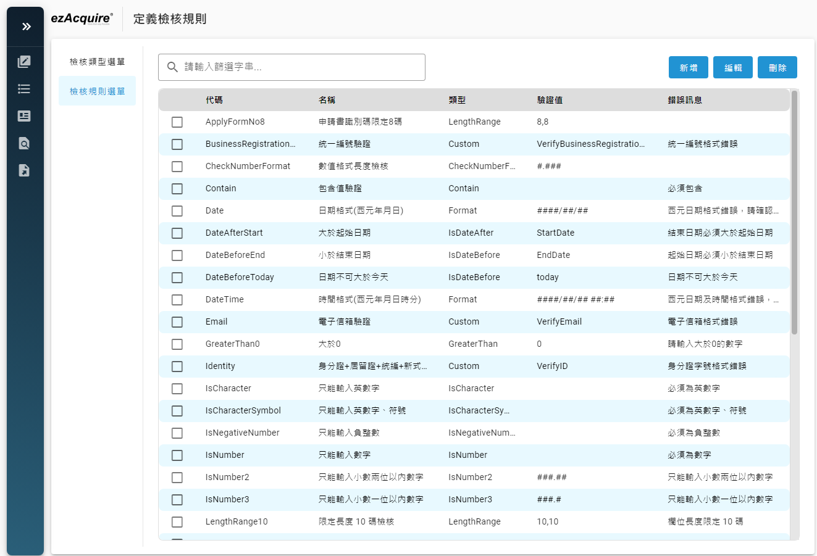
- The built-in validation rules cover standard data entry and validation needs, with additional support for forwarding data to external systems for validation via HTTP or other methods.
Image Translation and Scaling Alignment Calibration
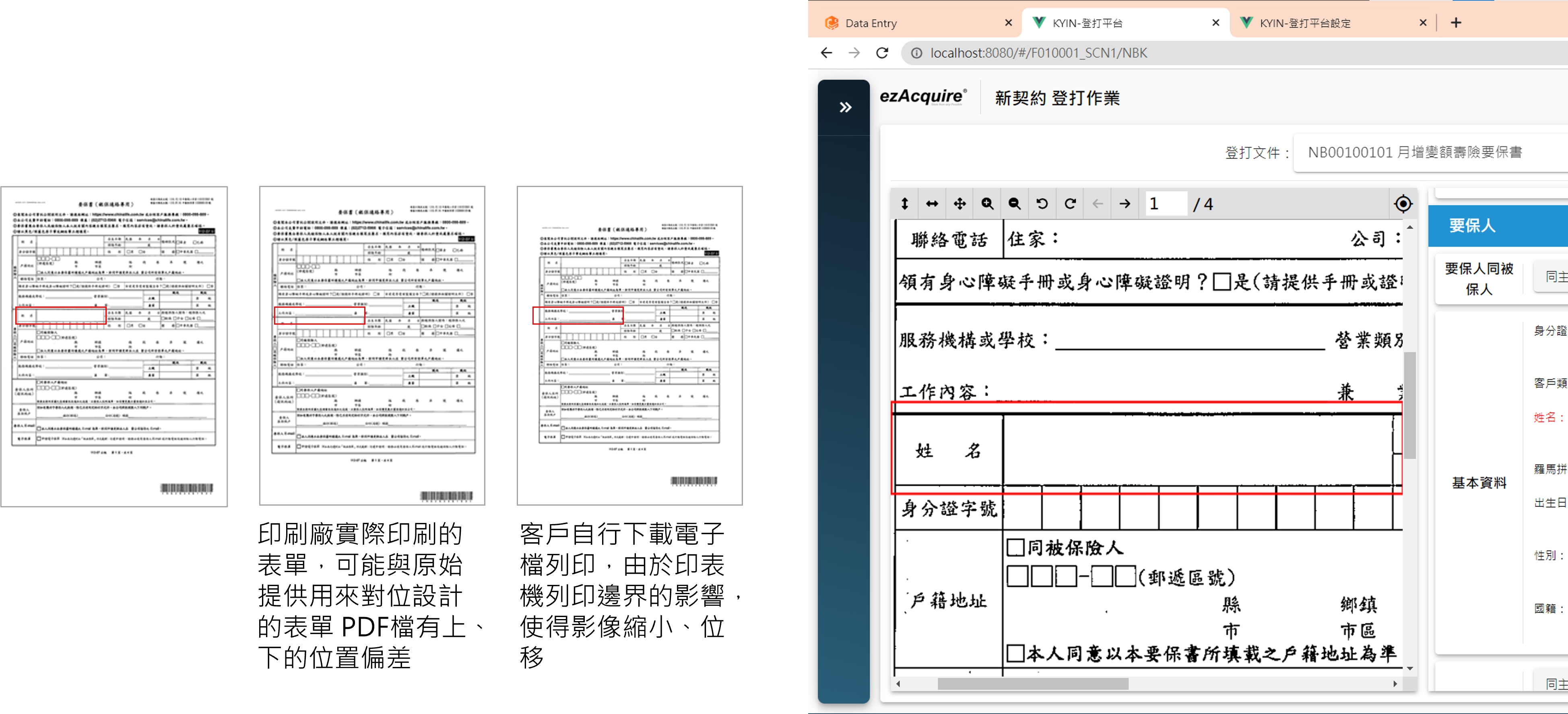
- Utilizes image recognition technology, the need to print positioning marks on forms is eliminated.
- By identifying the displacement and scaling differences between the predefined form template and the actual scanned images, the system calculates calibrated alignment frames. This ensures that translated and scaled images maintain precise alignment, consistent with the original configuration.
Configurable Data Entry Workflows and Sampling Mechanisms
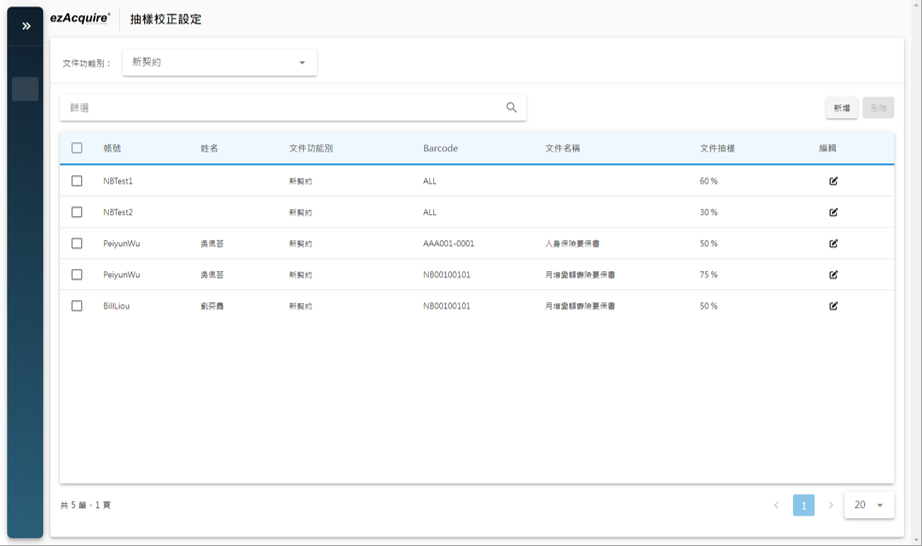
- Supports various data entry workflows, including single-operator entry, single-operator entry with review, and dual-operator entry with review.
- Review sampling mechanisms allows for configuring different sampling ratios by master form, operator, or a combination of the two.
External System Integration

- Add Data Entry Case – The ezAcquire Data Entry platform provides a RESTful API interface for scanning or other systems to create new data entry cases. When calling the API, the case data (such as region, business item, etc.) and image data list (including image ID, form ID) should be passed in to create a new data entry case in the ezAcquire platform. Additionally, considering that some channels may already include partial data during case intake, custom implementations can be performed based on system-defined interfaces to automatically input the data. This way, data entry personnel will not need to re-enter these fields.
- Data Entry Submission to Core System – The ezAcquire Data Entry platform stores data entry information in JSON format. For integration with different core systems, the platform provides predefined interfaces, allowing for customized implementation of adapters to facilitate data transfer and submit the data entry information to the core system.
Information Security and Auditing

- The system supports external integration via TLS 1.2, meeting information security requirements.
- Data entry information is stored in the database using encrypted compression, effectively reducing the risk of data theft.
- Complete usage records are maintained for all processing operations, documenting the who, what, when, where, and what (the item) to comply with personal data protection laws regarding the use of documents containing personal information.